
Is Your Business Website Secure? Why Updating WordPress Alone Isn't Enough
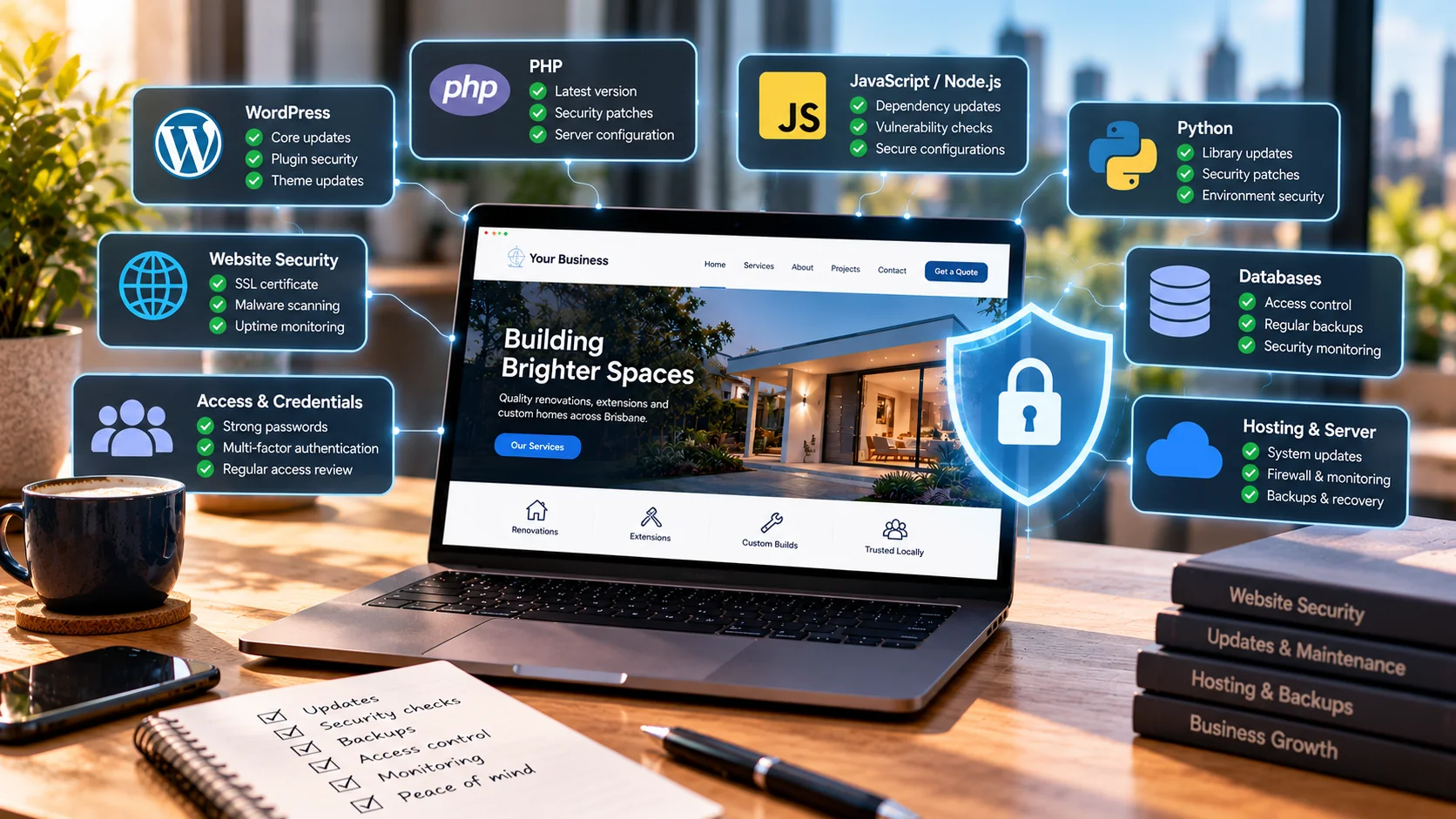
You log in to your website, check for updates and see that everything is up to date. The homepage loads, the contact form works and customers are still placing orders.
That's good, but it doesn't necessarily mean every part of your website is secure.
There is a lot going on behind a business website that customers never see. Your website might depend on PHP, JavaScript, Python, a database, hosting software, payment integrations and dozens of third-party packages.
Any one of those parts can need attention, even when the website itself looks perfectly normal.
Recent security updates affecting PHP are a useful reminder of this. The problem isn't limited to PHP, though. Nearly every technology stack has updates, dependencies and access controls that somebody needs to look after.
If you run a small business in Australia, you don't need to understand every programming language. You do need to know who is responsible for keeping your website and its supporting systems maintained.
A website is more than the page you see
Think of a website as a few connected layers.
The front end is what customers interact with. Behind it might be an application that processes forms, bookings or orders. That application talks to a database and runs on a server. It may also connect to payment providers, email services and other tools.
When you update a WordPress plugin, you are only updating one part of that setup.
You haven't necessarily updated PHP, the web server, the operating system or the other services running behind the website.
The same applies to a custom website. Deploying a new React interface doesn't automatically patch its Node.js backend or the server hosting it.
That's why I prefer thinking about website maintenance as a whole rather than treating it as a button inside the dashboard.
If your business runs WordPress or WooCommerce, Techmendz's managed hosting and website maintenance plans cover options for CMS updates, backups and monitoring. It's worth choosing the level of support that matches how important your website is to the business.
What does PHP have to do with website security?
PHP powers WordPress, WooCommerce, Laravel and many other websites.
Even if you never write a line of PHP, your site might rely on it every time someone loads a page or submits a form.
Security advisories issued in October 2026 are a good reason to ask your hosting provider which PHP release is installed and whether relevant fixes have been applied.
It's worth noting that an older-looking version number does not always mean a server is unpatched. Some operating-system and hosting vendors backport security fixes into supported packages without changing the version in the way you might expect.
So rather than relying on a screenshot of a version number alone, ask the provider whether the installed build contains the relevant security patches.
For WordPress, you can usually check the reported PHP version under Tools → Site Health → Info → Server.
That tells you what the site reports using. It does not, by itself, confirm every security patch on the server.
JavaScript websites need maintenance too
A lot of modern websites use JavaScript frameworks and tools such as React, Next.js and Node.js.
They often depend on packages downloaded through npm or another package manager. Some projects use dozens or hundreds of dependencies, including dependencies brought in by other packages.
That is normal software development, but it means updates need to be managed.
A security issue might affect the application framework, a server-side package, a build tool or a dependency the developer didn't install directly.
Developers can use tools such as GitHub Dependabot and package vulnerability reports to identify known issues. But alerts still need to be reviewed.
Not every alert means the live website is immediately exposed. The affected code might only be used during development, or the vulnerable feature might not be reachable in the application.
On the other hand, ignoring every alert because the website still works is not a great strategy either.
The right approach is to understand what is affected, prioritise the important fixes and test the application after updating.
What about Python, Java and .NET websites?
The same principle applies.
A Python website built with Django or Flask can depend on third-party packages that need security updates. Java applications have their own frameworks and dependencies. .NET and Ruby applications also require ongoing maintenance.
There isn't one programming language that removes the need for security work.
The useful questions are whether the technology is still supported, whether its dependencies are maintained and whether somebody is watching for security advisories.
For a business owner, you don't need a report listing every package in the application. You should be able to ask your developer or hosting provider whether the stack is supported and how updates are handled.
How do websites actually get hacked?
There isn't one answer.
Sometimes attackers exploit a known software vulnerability. Sometimes they obtain a password through phishing or password reuse. Other times a compromised plugin, exposed API key or incorrectly configured cloud service creates an opening.
A few common examples are worth understanding.
Stolen accounts. Someone gains access to a website administrator, hosting or email account. Strong, unique passwords and multi-factor authentication help reduce this risk.
Outdated software. A vulnerable plugin, framework or server component remains unpatched after a fix becomes available.
Supply-chain problems. A third-party package or integration is compromised, affecting projects that rely on it.
Exposed secrets. API tokens, database passwords or cloud credentials accidentally end up in public code or logs.
Weak access controls. An API or administration feature allows somebody to access information or actions they should not be able to use.
These are different problems, so no single security plugin can solve all of them.
And one important point: a published vulnerability does not automatically mean your website has been compromised. Whether a particular site is affected depends on its software, configuration, exposure and available mitigations.
Is WordPress less secure than a custom-built website?
Not automatically.
WordPress is widely used, which makes it a frequent target for automated scanning. But it also has an established update process and a large ecosystem of security guidance.
A well-maintained WordPress site can be a sensible choice for a small business.
A custom-built application can offer more control over its features and architecture, but it also needs someone to maintain its framework, dependencies, infrastructure and authentication.
Custom code is not secure just because it is custom.
I would judge either option by how it is built, who maintains it, how access is managed and how quickly important issues can be addressed.
Your hosting provider matters as much as your developer
Your developer may manage the website code, while the hosting provider manages the operating system, PHP runtime or server platform.
Sometimes one provider handles everything. Sometimes responsibilities are split between several companies.
That is where things can get missed.
For example, a developer may update WordPress and its plugins but assume the hosting company is handling PHP and server patches. The hosting company may expect the customer to choose a newer PHP version in the control panel.
Neither side necessarily intends to leave a gap. The responsibility just wasn't clear.
Ask who handles server updates, website updates, backups, security monitoring and emergency recovery.
If you would rather have hosting and routine website care managed together, you can compare Techmendz's hosting and server maintenance options. For a custom Laravel application, there is also a separate Laravel application maintenance service focused on framework updates, dependencies and application health.
If you use managed hosting, check what 'managed' actually includes.
Don't forget the services connected to your website
Your website may rely on Stripe, PayPal, an email delivery service, Google integrations, Cloudflare, a booking system or a CRM.
These services can be useful and secure, but their connections still need attention.
Review who can access them, what permissions their API keys have and whether unused integrations are still enabled.
An old contractor shouldn't retain access forever. A payment integration shouldn't have broader permissions than it needs.
If your website has grown over several years, this is a particularly useful area to review.
What should you do when a security update is released?
First, work out whether the update applies to your website.
A vulnerability in a language or framework does not mean every site using that technology is exploitable. The affected versions, configuration and use of the vulnerable component matter.
If your provider confirms an important update is required, make sure you have a recent, recoverable backup.
For a business-critical site, use a staging environment where practical. Update the affected software, then test the workflows that matter.
For a normal business website, that means navigation, forms, login and email delivery.
For an online store, also test product pages, carts, checkout, payment processing, order confirmation and any custom integrations.
Security updates should be prompt, but they should also be handled carefully enough that you know the site still works afterwards.
A website security checklist for Australian businesses
If you're unsure where to begin, these are the checks I'd prioritise.
- Know your website stack. Ask what platform, framework, language and hosting service your site uses.
- Confirm updates are managed. Someone should be responsible for WordPress, plugins, frameworks, packages and server software.
- Protect important accounts. Use multi-factor authentication for hosting, DNS, email and administrator accounts where supported.
- Remove old access. Review former staff, contractors, unused API keys and unnecessary administrator accounts.
- Check backups. Know what is backed up, where backups are stored and whether restoration has been tested.
- Review dependencies. For custom applications, make sure known vulnerabilities are monitored and assessed.
- Check your integrations. Review payment gateways, email services and connected applications.
- Have a recovery plan. Know who to contact and what to do if the website is compromised or unavailable.
You don't need to complete every technical check yourself. The important thing is having somebody accountable for them.
How often should a business website be checked?
There isn't one schedule that fits every website.
Security advisories can appear at any time, so important updates shouldn't wait for an arbitrary monthly maintenance date.
Routine maintenance can still happen on a schedule. That might include checking backups, reviewing access, testing forms, checking performance and removing unused integrations.
An online store processing orders every day may need more frequent attention than a simple brochure website.
The key is knowing the difference between regular housekeeping and an issue that needs prompt action.
What if you think your website has already been compromised?
Avoid immediately deleting files or randomly reinstalling plugins. That can destroy useful evidence and make recovery harder.
Contact your hosting provider or incident-response support, secure affected accounts using a trusted device and preserve relevant logs or backups where possible.
Depending on what happened, you may also need to assess whether customer information was exposed and whether notification obligations apply.
The Australian Cyber Security Centre provides guidance on responding to cyber incidents and reporting cybercrime. Businesses dealing with a suspected data breach should seek advice appropriate to their circumstances.
The takeaway
A secure website isn't simply one that has no update notifications.
It's a website where the application, dependencies, hosting, accounts and backups are looked after together.
That applies whether you use WordPress, WooCommerce, Laravel, React, Python or another platform.
At Techmendz, we help businesses with WordPress maintenance and web development, including custom applications. We look at the technical setup around the website as well as the pages customers see.
If you want help keeping a business website updated, start with our website hosting and maintenance plans. If you run a Laravel application, see our Laravel maintenance options.
If you aren't sure who maintains the software behind your business website, that's a good question to ask before something goes wrong.
Sources
- PHP, official security releases and announcements: https://www.php.net/releases/
- Australian Signals Directorate, Australian Cyber Security Centre, alerts and advisories: https://www.cyber.gov.au/
- WordPress, security releases: https://wordpress.org/news/category/security/
- Node.js, security releases: https://nodejs.org/en/security
- GitHub Docs, Dependabot alerts: https://docs.github.com/en/code-security/dependabot/dependabot-alerts/about-dependabot-alerts
- OWASP, Top 10 web application security risks: https://owasp.org/www-project-top-ten/