Your Website Is Online. But Who Actually Controls It?
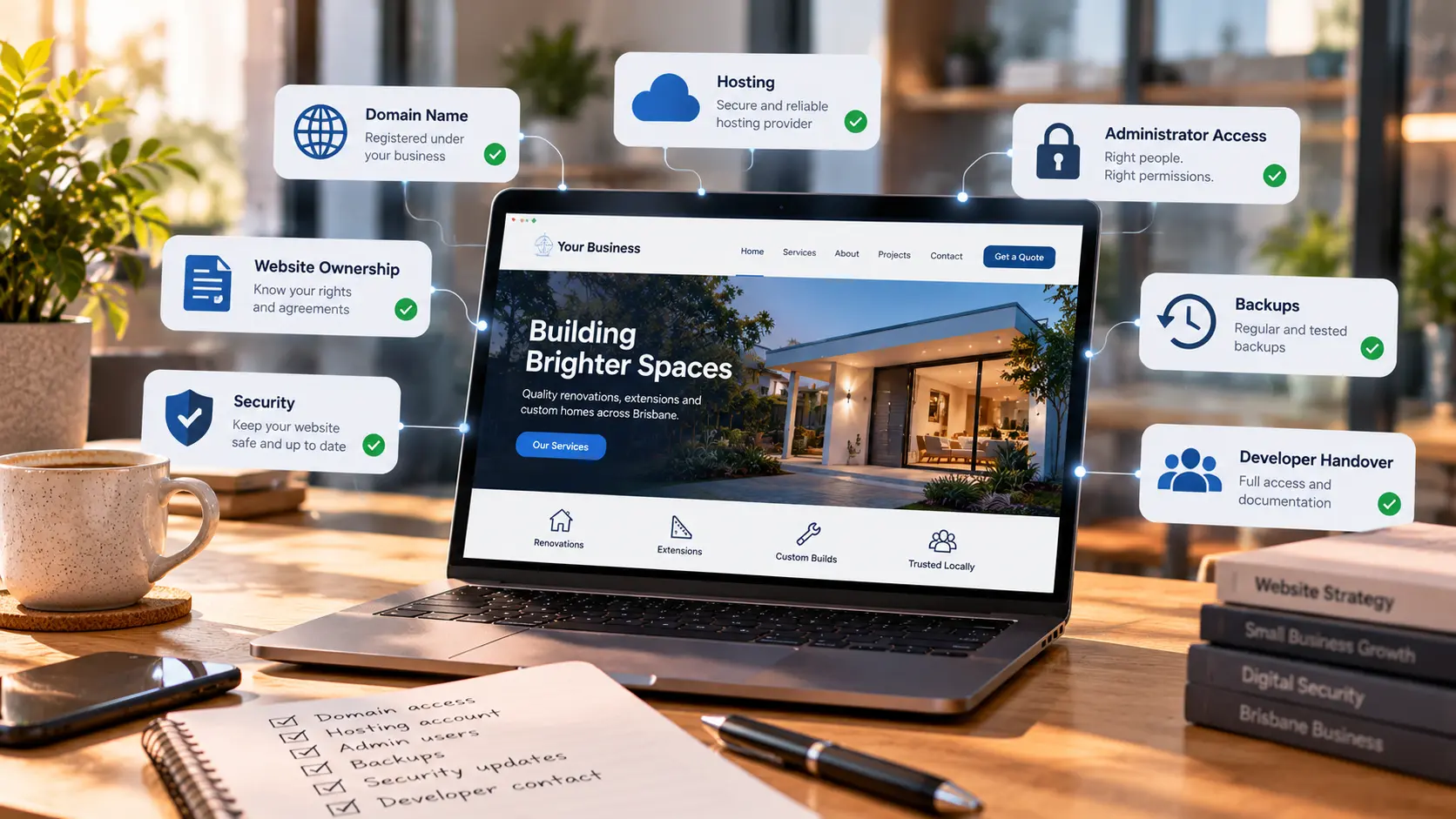
Your website is working. Customers can find it, the contact form sends enquiries and you probably haven't needed to think about the hosting for months.
That sounds like a good thing.
But what happens when you need to make a change and the person who built the website is no longer available?
I have seen how easily the small details get overlooked when a website is handed over. The domain might be registered in a developer's account. Hosting invoices might go to an old email address. Nobody is quite sure whether backups are running.
None of that is obvious when the homepage looks fine.
You don't need to become a website developer to run your business. You should, however, know who controls the important accounts and what would happen if you needed to move to another provider.
Here is what I would check.
Start with your domain name
Your domain is the address customers use to find you. It is also often connected to your business email.
If you have a .com.au domain, check which registrar manages it, who is listed as the registrant and which email receives renewal notices. The exact registration rules depend on the domain and registry, so it is worth checking the actual details rather than assuming the person who pays the invoice is the legal holder.
The main thing is that your business should be able to manage the registration and renew it without depending on one contractor.
A developer can help configure a domain without needing to personally own it.
If you don't know where yours is registered, start with your old invoices and the official domain registration lookup tools. Be careful with random websites offering to 'recover' a domain for a fee.
Also check whether auto-renewal is enabled and whether the payment details are current. Losing a domain because an invoice went to an abandoned mailbox is an avoidable problem.
Your domain and your hosting are not the same thing
This is one of the most common points of confusion.
Your domain is the address. Hosting is where the website runs or where its files and data are stored.
They might be managed by the same provider, but they don't have to be.
For example, your domain could be registered with one company, DNS managed through Cloudflare and your website hosted elsewhere. That is a perfectly normal setup.
What matters is knowing who has access to each part.
Ask your provider where the website is hosted, who owns the hosting account, who receives billing notifications and how you would move the website if you ever needed to.
You don't necessarily need the business owner to log into the server every day. You do need a documented way to regain control.
What does 'owning a website' actually mean?
There isn't one single answer.
A website can involve several different rights and accounts: the domain registration, hosting account, source code, written content, photographs, licensed themes, plugins and third-party services.
Paying someone to build a website does not automatically mean every copyright or software licence transfers to you. The contract and applicable law matter.
That is why I prefer clear agreements from the beginning.
You should know what deliverables you are paying for, what you can reuse or move, whether any third-party licences have ongoing fees and what happens if you change developers.
This isn't about making things difficult for an agency. It protects both sides from misunderstandings later.
If there is a genuine dispute over intellectual property or contractual ownership, get appropriate legal advice rather than relying on a generic online checklist.
Who has administrator access?
Think about how many people may have worked on your website over the years.
There could be the original developer, a marketing freelancer, a former employee, a hosting support account and someone who helped install an analytics plugin.
Do all of them still need access?
For WordPress, review the Users section and check which accounts have Administrator privileges. Someone who writes blog posts usually does not need full control of the website.
Where possible, give each person their own login. Avoid sharing a single 'admin' password between everyone.
Enable multi-factor authentication where supported, especially for accounts that control hosting, DNS, email and website administration.
When a contractor finishes, remove or reduce their access. The same applies to API tokens, deployment keys and integrations that were created for a specific project.
This is basic housekeeping, but it is much easier to do regularly than to reconstruct years of access later.
Backups only help if you can restore them
A website backup is one of those things everyone assumes exists until they actually need it.
Ask three questions.
What is backed up? Where is it stored? Has anyone tested restoring it?
For a WordPress website, you normally need both the site files and the database. A copy of the theme folder alone won't bring back your pages, settings and customer information.
For a custom application, the requirements may include a database, uploaded files, configuration and other services. The right recovery process depends on how the site was built.
I also prefer backups stored separately from the website itself. If the server has a serious problem, a backup sitting only on that same server may not help much.
You should know how often backups run, how long they are retained and who can perform a restore.
If your website takes orders or bookings, think about how much recent data you could afford to lose. A daily backup may be fine for one site and completely inadequate for another.
What happens if your developer disappears?
It is not a comfortable question, but it is a useful one.
Imagine your website needs an urgent change and your usual contact doesn't respond. Can another developer take over?
They will usually need some combination of:
- Access to the domain registrar and DNS
- Hosting or infrastructure details
- Website administrator access
- Source code or a deployable copy of the site, where applicable
- Database and uploaded-file backups
- Information about important integrations and licences
- A list of services that need to stay running, including business email
You don't have to keep passwords in a spreadsheet. A reputable password manager and properly documented account ownership are better options.
For custom websites, access to the source repository and deployment process can matter just as much as access to the hosting panel.
A good handover should leave the next person able to understand the setup without guessing.
Can you change website developers without losing your website?
In many cases, yes.
Changing providers is a normal part of running a business. It might happen because you need different services, your budget changes or the original developer is no longer available.
The key is planning the transition before cancelling anything.
Make sure you have a working backup, understand the current hosting and DNS setup, and know which email services depend on the domain.
If the site uses paid plugins, a premium theme or a third-party platform, confirm what happens to those licences when you leave.
For e-commerce sites, pay particular attention to orders, payment integrations, transactional emails and customer accounts.
Don't cancel the old hosting the moment a new site appears online. Allow time to check that everything works and that no important data was left behind.
Does a maintenance provider need full ownership?
No.
A website maintenance provider may need administrator or technical access to do its job, but that is different from owning the business's domain or all of its infrastructure.
The right arrangement depends on the service. Some businesses prefer fully managed hosting, while others maintain accounts in their own name and grant their provider access.
Either model can work when responsibilities are clear.
I would want to know who handles updates, security monitoring, backups, renewals, emergency recovery and support requests.
If the provider manages those services, ask how the business can get its data and access back at the end of the agreement.
A professional handover process is a good sign, not something to be worried about.
A ten-minute website control check
If you're running a small business in Brisbane or elsewhere in Australia, start with this list.
- Domain: Can you identify the registrar, registrant and renewal contact?
- DNS: Do you know who manages the records that connect your website and email?
- Hosting: Do you know where the website runs and who pays for it?
- Website login: Can you access the administrator account yourself?
- Other users: Are former staff and contractors still able to log in?
- Backups: Do you know what is backed up, where it goes and how to restore it?
- Source files: For a custom site, can you obtain the source code and deployment details you are entitled to?
- Licences: Do you know which themes, plugins or services have recurring fees?
- Recovery: Could someone else take over if your usual provider became unavailable?
- Documentation: Is the important information stored somewhere your business can access?
You don't need to fix everything in one afternoon.
Even finding out which accounts exist is a useful first step.
A quick note about Australian cybersecurity guidance
The Australian Cyber Security Centre regularly recommends sensible controls such as protecting accounts, managing access, keeping systems updated and maintaining recoverable backups.
These recommendations are relevant to business websites, even when the guidance isn't specifically about WordPress or hosting.
The Australian Signals Directorate's newer ASD Essentials material also discusses security responsibilities across technology and service providers. That doesn't mean every small business suddenly has a new legal compliance obligation under that framework.
The practical lesson is simpler: understand your systems, know who is responsible for them and make sure you can recover when something goes wrong.
The takeaway
A good website should not become a mystery the moment the person who built it leaves.
You should be able to answer a few basic questions about your domain, hosting, access and backups, even if someone else handles the technical work.
At Techmendz, we work with businesses on website development, hosting and maintenance. Part of doing that properly is making sure the setup is understandable and the responsibilities are clear.
If you're not sure who controls your current website, start with the domain and hosting accounts. Those two checks can tell you a lot.
Sources
- Australian Signals Directorate, Australian Cyber Security Centre, Small Business Cyber Security Handbook: https://www.cyber.gov.au/
- Australian Signals Directorate, ASD Essentials: https://www.cyber.gov.au/
- auDA, information about .au domain registration and registrant rights: https://www.auda.org.au/
- WordPress documentation, Roles and Capabilities: https://wordpress.org/documentation/article/roles-and-capabilities/